Trust Wallet confirms security incident
Yesterday evening, Trust Wallet confirmed that a “security incident” had affected version 2.68.0 of its Chrome extension, and advised users to update immediately to version 2.69 to resolve the issue.
However, Trust Wallet has not yet responded to BleepingComputer’s questions regarding whether affected users will be compensated or what remediation options are available for those whose wallets were drained as a result of the incident.
We’ve identified a security incident affecting Trust Wallet Browser Extension version 2.68 only. Users with Browser Extension 2.68 should disable and upgrade to 2.69.
Please refer to the official Chrome Webstore link here: https://t.co/V3vMq31TKb
— Trust Wallet (@TrustWallet) December 25, 2025
Attackers double down with a simultaneous phishing campaign
While users were scrambling for information and guidance, BleepingComputer observed a parallel phishing campaign taking advantage of the ongoing panic.
Multiple X accounts [1, 2] directed concerned users to a suspicious website hosted at an odd domain: fix-trustwallet[.]com.
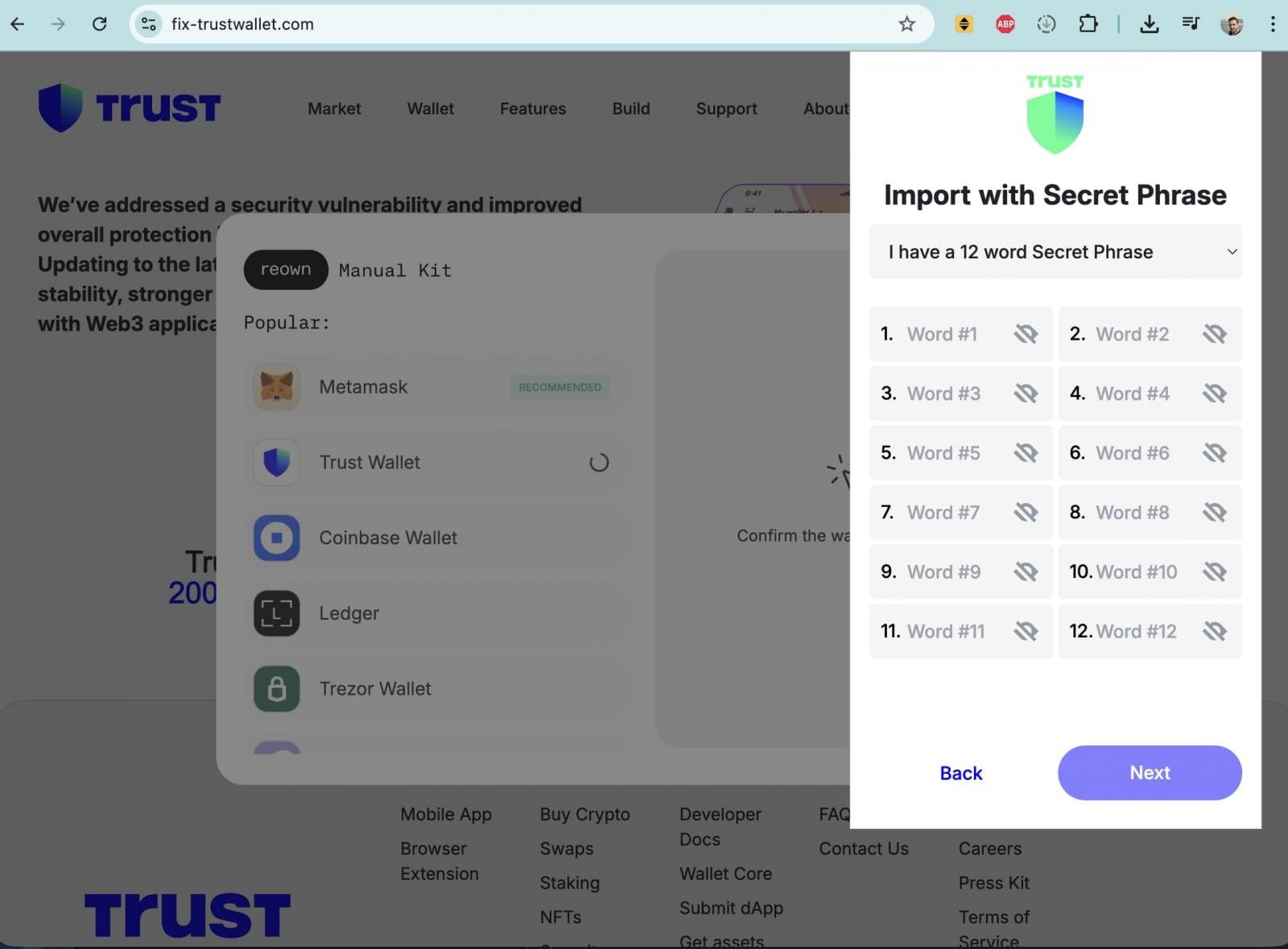
The site closely impersonated Trust Wallet branding and claimed to fix a “security vulnerability” in Trust Wallet. After clicking the “Update” button, however, users were presented with a popup form requesting their wallet recovery seed phrase, which functions as a master key granting full control over a wallet.
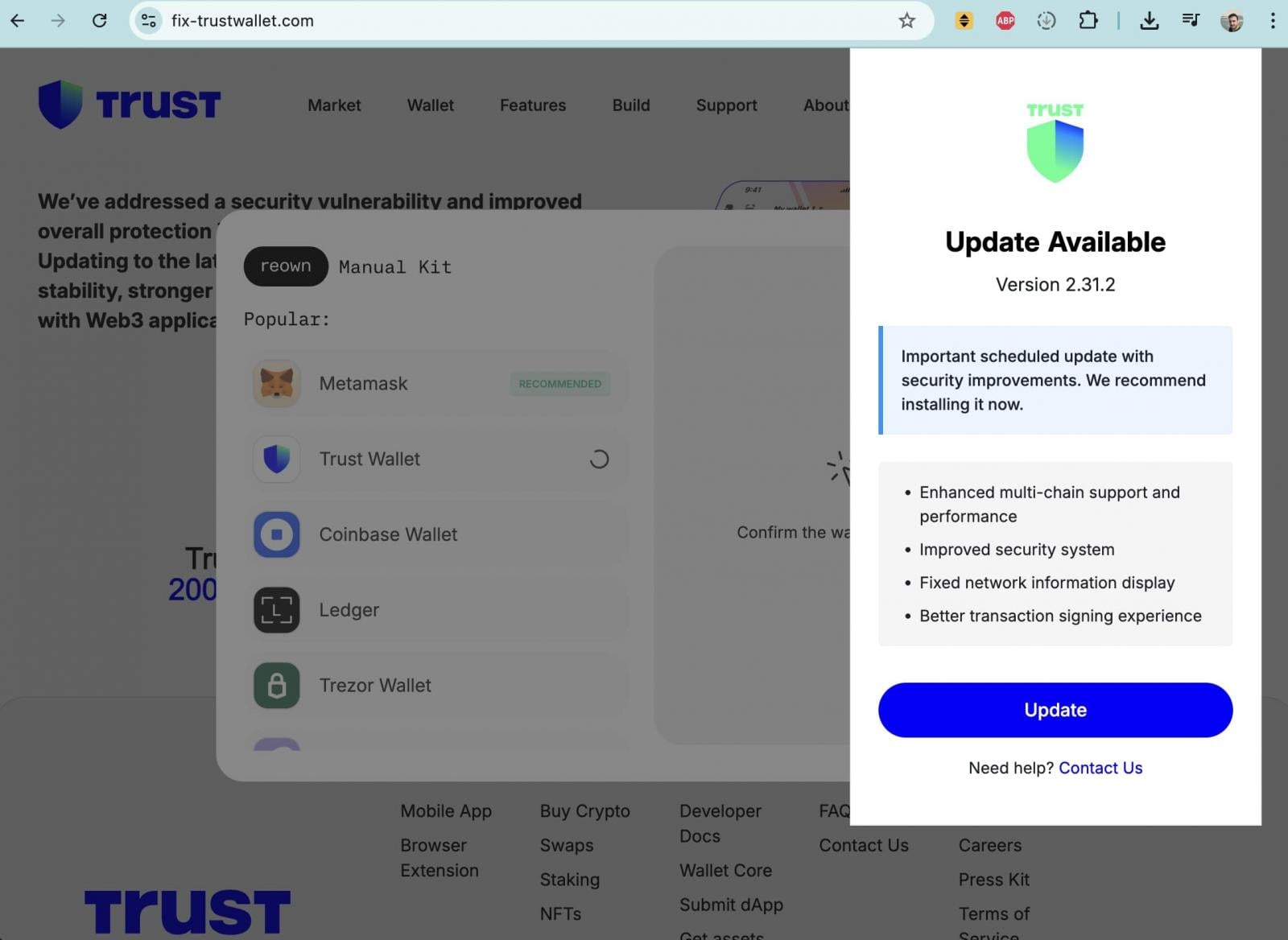
Entering a seed phrase on such a site would allow attackers to immediately drain all associated funds.
WHOIS data indicates that fix-trustwallet[.]com was registered earlier this month, with the same registrar as metrics-trustwallet[.]com, suggesting the domains may be connected and potentially operated by the same threat actor or group behind the broader attack.
What users should do
Trust Wallet advises Chrome extension users to ensure they are running the latest, fixed version 2.69 and states that the incident affects Chrome extension version 2.68.0 alone. Mobile-only users and all other browser extension versions, it says, are unaffected.
“For users who haven’t already updated to Extension version 2.69, please do not open the Browser Extension until you have updated. This may help to ensure the security of your wallet and prevent further issues,” continues Trust Wallet in the same X thread.
“Follow the step-by-step guide soonest possible:
Step 1: Do NOT open the Trust Wallet Browser Extension on your desktop device to ensure the security of your wallet and prevent further issues.
Step 2: Go to Chrome Extensions panel in your Chrome browser by copying following to the address line (shortcut to the Official Trust Wallet Browser Extension): chrome://extensions/?id=egjidjbpglichdcondbcbdnbeeppgdph
Step 3: Switch the toggle to “Off” below the Trust Wallet if it’s still “On”.
Step 4: Click “Developer mode” in the upper right corner.
Step 5: Press the “Update” on the left upper corner.
Step 6. Check the version number: 2.69. This is the latest and secure version.
“Our Customer Support team is already in touch with impacted users regarding next steps. Please ask those in your DM to reach out to our Support team here: https://twtholders.trustwallet.com,” advises Trust Wallet.
Users who believe their wallets may have been compromised are urged to immediately move remaining funds to a new wallet created with a fresh seed phrase and to treat any previously exposed recovery phrases as permanently unsafe.

Break down IAM silos like Bitpanda, KnowBe4, and PathAI
Broken IAM isn’t just an IT problem – the impact ripples across your whole business.
This practical guide covers why traditional IAM practices fail to keep up with modern demands, examples of what “good” IAM looks like, and a simple checklist for building a scalable strategy.