Microsoft updates Notepad and Paint with more AI features
- January 22, 2026
- 09:22 AM
- 0
Microsoft is rolling out new artificial intelligence features with the latest updates to the Notepad and Paint apps for Windows 11 Insiders.
These changes are rolling out to Windows Insiders in the Canary and Dev Channels, who have upgraded to the latest versions.
Notepad version 11.2512.10.0 now streams AI-generated results for Write, Rewrite, and Summarize features, displaying previews faster rather than waiting for complete responses. However, users must sign in with their Microsoft accounts to access these AI tools.

“Whether generated locally or in the cloud, results for Write, Rewrite, and Summarize will start to appear quicker without the need to wait for the full response, providing a preview sooner that you can interact with,” said Dave Grochocki, Principal Group Product Manager for Windows Inbox Apps.
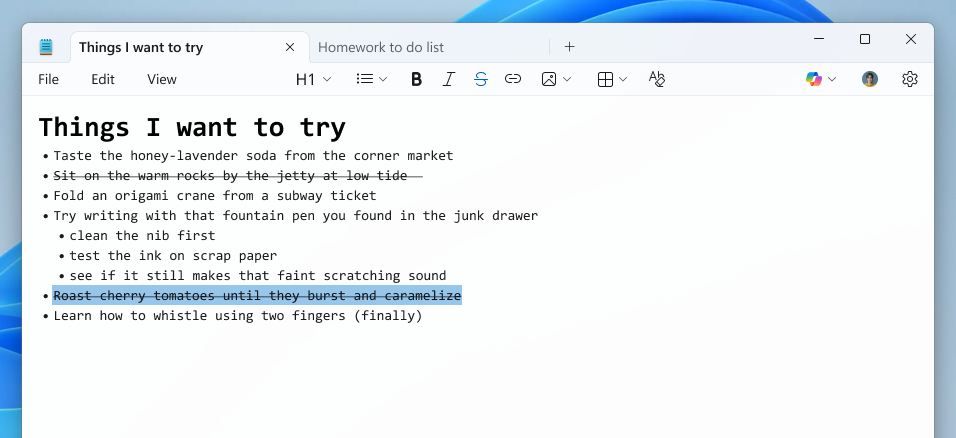
The text editor also expands its lightweight formatting support with additional Markdown syntax features, including nested lists and strikethrough text.
Notepad users can use these new formatting options via keyboard shortcuts, the formatting toolbar, or Markdown syntax in their documents.
Notepad now also comes with a welcome screen designed to help users discover the appțs newest features, a dialog that will appear on first launch and can be accessed later through a megaphone icon in the toolbar.
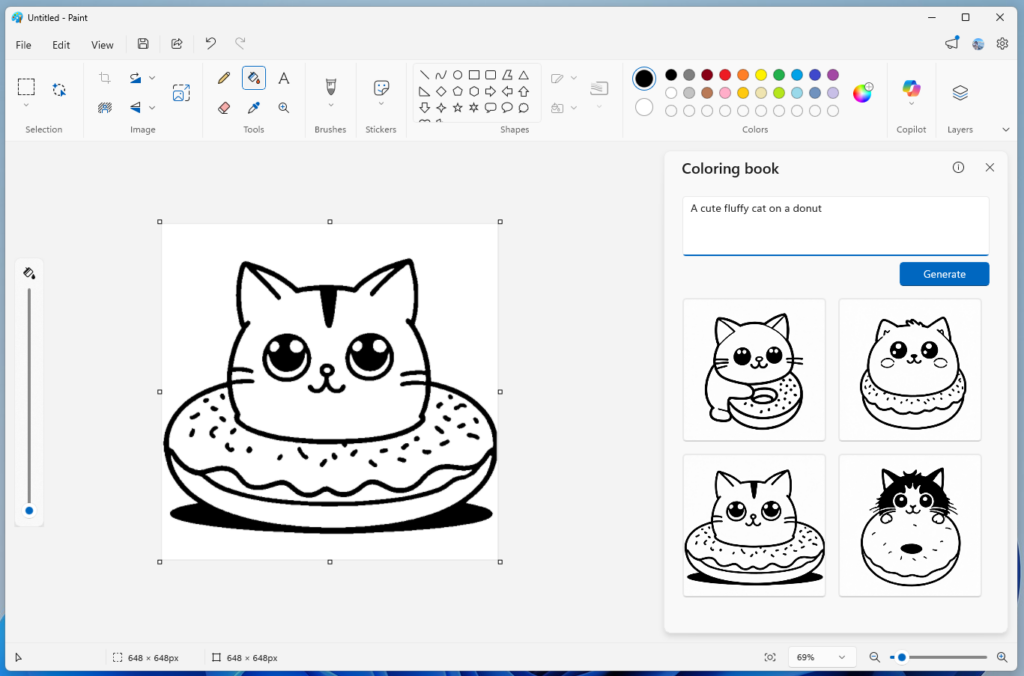
Paint version 11.2512.191.0 has also added a Coloring Book feature that uses AI to generate coloring pages from custom text prompts, offering multiple options users can add to the canvas, copy, or save.
However, the Coloring Book option is available only on Copilot+ PCs and requires Microsoft account authentication.
Paint now also comes with a fill tolerance slider, allowing users to control how the Fill tool adds color to the canvas. The adjustment slider appears on the left side of the canvas when the Fill tool is selected, allowing users to experiment with different tolerance levels for various effects.
Microsoft encouraged users to submit feedback through the Windows Feedback Hub, under the Apps category, to help weed out bugs.
In September, Microsoft announced that AI-powered text summarization, text rewriting, and text generation features would be available free to customers with Copilot+ PCs running Windows 11.
Users who don’t want the new AI features can disable them in settings or uninstall the Windows Notepad app and use the built-in notepad.exe program.
The same month, the Paint app added support for Photoshop-like project files and an opacity slider for the Pencil and Brush tools for users who upgraded to version 11.2508.361.0.

7 Security Best Practices for MCP
As MCP (Model Context Protocol) becomes the standard for connecting LLMs to tools and data, security teams are moving fast to keep these new services safe.
This free cheat sheet outlines 7 best practices you can start using today.
Source: www.bleepingcomputer.com